Loading preview...
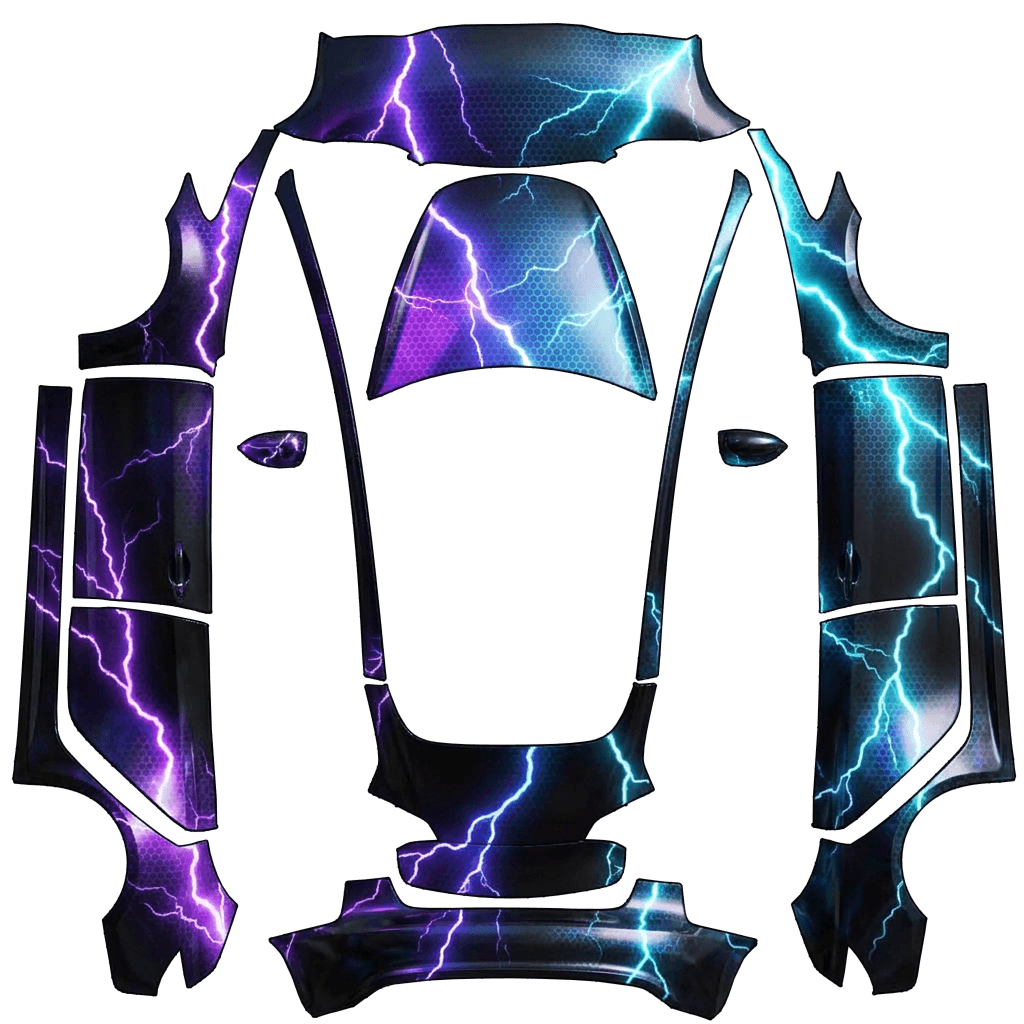
Camelionstrike
En mørk, høyglans kamelon-wrap med en dyp svart base som skifter mellom elektrisk lilla, blå og cyan avhengig av lys og vinkel. Overflaten har et diskret hexagonmønster som bare er synlig når lyset treffer riktig. Kraftige, glødende lyn beveger seg sømløst over panser, dører og skjermer, som om elektrisk energi flyter gjennom karosseriet. Fargene går mykt over i hverandre uten harde overganger, slik at bilen ser nesten svart ut i skyggen, men eksploderer i lilla og blå toner i sollys.
This Model 3 wrap design was created on August 4, 2026 by Zebbsn. Download this free Tesla wrap design and apply it to your vehicle using the Tesla Paint Shop feature in Toybox.
How to Install the Wrap on my Tesla
How to Use Custom Wraps
- 1Download the Design for your specific vehicle model. This Model 3 wrap design is available as a free PNG file that can be downloaded directly from this page.
- 2Load your wraps onto a USB drive in a folder called
Wraps. Format your USB drive as exFAT, FAT 32, MS-DOS FAT, ext3, or ext4. Create the Wraps folder at the root level of the drive. - 3Apply in your Tesla: Toybox → Paint Shop → Wraps tab. Insert the USB drive into your Tesla and navigate to the Paint Shop feature in Toybox to apply your custom wrap design.
USB Drive Setup for Tesla Wraps
Format the USB drive as one of the following file systems:
exFAT- Recommended format for most usersFAT 32(for Windows users)MS-DOS FAT(for Mac users)ext3- Linux-compatible formatext4- Linux-compatible format
Important: NTFS file system is not currently supported by Tesla's Paint Shop feature.
Wraps at the root level of the USB drive. This folder name must be exactly "Wraps" (case-sensitive).Wraps folder. The Tesla Paint Shop will detect all PNG files in this folder and make them available for selection.The Tesla Paint Shop is a built-in feature available in your Tesla vehicle's Toybox menu. It allows you to customize your vehicle's appearance with custom wrap designs created by the community. This Model 3 wrap design is compatible with Tesla's Paint Shop system and can be applied directly from your vehicle's touchscreen interface. All wrap designs are free to download and use with your Tesla vehicle. Browse thousands of free wrap designs in our gallery, or create your own custom design using our free AI-powered wrap designer or Studio editor.
New to this? Read the full Tesla Paint Shop guide for the exact file requirements, the mobile app method, and what to check if a wrap does not show up on your screen.
Comments
0Sign in to leave a comment